Wednesday, April 27, 2011

Setting True Silent Mode on Android 2.2

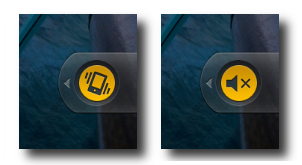
As many are switching over from Android 2.1 to 2.2 they are finding the new OS doesn't always work the same.  One of the biggest differences I have seen so far is "True Silent Mode".  We have all been there, at a meeting, the movies, or a fancy restaurant when someones phone goes off.  So we all do our best to make sure to set our phones on silent.  As many of us know, the vibrate function can still make a fair amount of noise, especially when the phone is sitting on a table or desk.  So why is this an issue in 2.2 you ask?  Well it seems unlike Android 2.1, where you just keep pushing the volume down button past vibrate mode to get the True Silent Mode, this function was removed from Android 2.2. Why it was removed we may never know.  But there is a work around to get that peace and quiet we've all been looking for.

Setting True Silent Mode On Android 2.2
To set the phone to true silent mode you must essentially replace the vibrate mode.


Step 1
Go to the Settings Menu


Step 2
Select the Sound settings.


Step 3
Select Vibrate Settings

Step 4
Select Vibrate Never, or only when not in Silent Mode.

Thursday, April 21, 2011

Virgin Mobile Samsung Intercept Android 2.2 Has Arrived!

The long awaited update for the Virgin Mobile Samsung Intercept has finally arrived. The prompt is on your screen, and you're excited to get started. But take it from me, don't click that button just yet. After receiving the update prompt from Virgin Mobile I too was excited to get started. I didn't have a charger handy, but my battery was full, so I figured it would be fine. What I didn't count on was my poor signal. In the process of updating I received the following error:

assert failed:("/tmp/modem_delta.bin","modem_delta.bin")
E: Error in /cache/54dbc743fd5b.update-SPH-M910_OTA_DI06ToEC07.zip
(Status 7)
Installation Aborted
A sheer sign that the download failed at some point losing valuable information.  So what now you ask?  Can you simply try it again?  The short answer is no, the prompt will not appear again when you power up the phone.  You have three options:

1. Contact Virgin Mobile regarding the issue.  As many can tell you this will take time and may be days, weeks before you finally get it updated.

2. Do a factory reset on the phone.  In doing so you will lose all of your apps, contacts, and any other data on the phone. Some have reported that the update prompt will appear again after this is done, but what's the point if you lose everything?

3. Become one of the many hackers like me and download the Update.zip file from the following forum:  SamsungInterceptForum.com.  After waiting patiently for months now I'd had enough.  I had been granted my wish for the "Official Update" and it failed.  So, being computer savvy, I took it upon myself to fix the issue.  I am happy to say the update was faster and completely flawless using the instructions and files supplied in the forum.  Props to tifferrr89 for the post.

So why didn't Virgin Mobile just release the download file for the Samsung Intercept?
Testing the update at first was a good plan on their part.  Pushing it out to 5000 as a initial test will verify that it is in fact working correctly without bricking 1/2 of their customers phones.  But after that initial test, an official release of the file would have been nice.  The way the Android update system works, there is no more chance that it will brick with the file downloaded than over the air, and as I have found, it may be more likely to fail receiving the "official OTA update".

What can I do to make sure the official update works?
1. Take your charger with you at all times.  This is one of the downfalls of the OTA updates.  It will come at some point and you want to be ready.  Mine showed up at 12:05am.

2. Check your signal strength before you update.  If you have poor 3G access make sure you find a wifi network that works before updating.

3. Be patient.  The progress bar can be deceiving.  In my case it went really fast for about the first 1/4 then stopped.  I thought something was wrong and went outside to find better signal.  Bad move on my part as it lost the wifi access it was using.

Closing thoughts about the Virgin Mobile Samsung Intercept Android 2.2 Update

Overall I'm happy with the update.  Speed has improved to acceptable levels, the calling function doesn't seem to lock up the phone anymore, and the transition was extremely smooth.  Stay tuned for more to come about what's new.

Sunday, April 10, 2011

Opera Mini - App Review

App: Opera Mini
Price: Free

Needless to say the browser included with Android leaves something to be desired.  Thankfully there are plenty of others to choose from.  Which brings me to Opera Mini.  Opera interestingly enough was originally developed for windows back in 1996.  It has now been ported to just about anything with a CPU (including the Nintendo DS).  Opera Mini for Android has a very unique design in the fact that all data is exchanged through Opera Software Servers.  Rather then your phone requesting the data directly from the URL you are looking at, instead it is requested by the Opera Server.  This server then compresses the data before passing it along to your phone, reducing bandwidth usage by up to 90%.  This alone makes it a great choice for those with limited bandwidth.  Additional options allow you to reduce image sizes, and even turn off images entirely.


Recent updates to Opera Mini
A new, refreshed interface giving it a sleek, modern appearance. The ever popular pinch zoom and smooth panning let you surf in a natural and intuitive way. You can also share web content with others on popular social networks.


The Pro's of Opera Mini
1. Fast load times
2. Smooth scrolling
3. Tabbed browsing
4. Full screen mode
5. Customizable to improve performance
6. Sleek UI
7. Share Content On Social Networks


The Con's of Opera Mini 
1. Some JavaScript forms are not compatible


Opera Mini - Closing Thoughts
Overall it's a great browser if your looking for something new to try.  It's sleek, fast, and fairly customizable. Plus if you've ever gone over on data usage it should save you a few bucks.

Friday, April 8, 2011

Android 2.2 Rolling Out to the Virgin Mobile Samsung Intercept.

It's official. Android 2.2 is rolling out to the Virgin Mobile Samsung InterceptAndroid 2.2 Update Text message for the Virgin Mobile Samsung Intercept starting April 11th 2011.  Customers started receiving word by text message earlier today.  Included in the message is a link with more details on the update, only viewable on the phone.  I included a screen capture of the page below.  Of the two other release dates mentioned before, this is the first time text messages have gone out to customers.  So it's a good sign the third times the charm.  As with many of the updates, word has it there will be 5000 lucky customers that will receive it first as a test.  If all goes well, then it will be released slowly to the remaining customers over the next few weeks.

With the update almost certainly on it's way, I highly recommend backing up your phone just in case there are some bumps in the road.  Check out: Preparing for an Android Update for more details.
Virgin Mobile Android 2.2 update for the Samsung Intercept